The way people discover and consume information online is changing.
Traditional search engines are still enormously important, and established technologies such as XML sitemaps, structured data, RSS feeds and internal linking are not going anywhere. At the same time, websites are increasingly being accessed by AI assistants, large language models, retrieval systems and other automated tools that may benefit from simpler, more structured ways of understanding what a website contains.
One emerging approach is llms.txt.
For WordPress website owners, however, supporting something like llms.txt introduces an obvious question: how do you keep it useful and up to date without creating yet another file that needs to be maintained manually?
That is the problem I wanted to solve with AEO – LLMs Server.
What is AEO – LLMs Server?
AEO – LLMs Server is a WordPress plugin that automatically creates dynamic:
/llms.txt/llms-full.txt
endpoints using the public content that already exists on your WordPress website.
Instead of manually creating a text file, adding links to it and remembering to update those links every time your website changes, the plugin uses WordPress itself as the source of truth.
You decide which content should be represented, and AEO – LLMs Server generates the corresponding machine-readable output automatically.
The aim is deliberately practical: make it easier to provide structured information about your website without requiring you to maintain another copy of the same content.
What exactly is llms.txt?
llms.txt is an emerging format intended to give AI and LLM-oriented systems a relatively simple overview of important public information on a website.
You can think of it as an additional signpost.
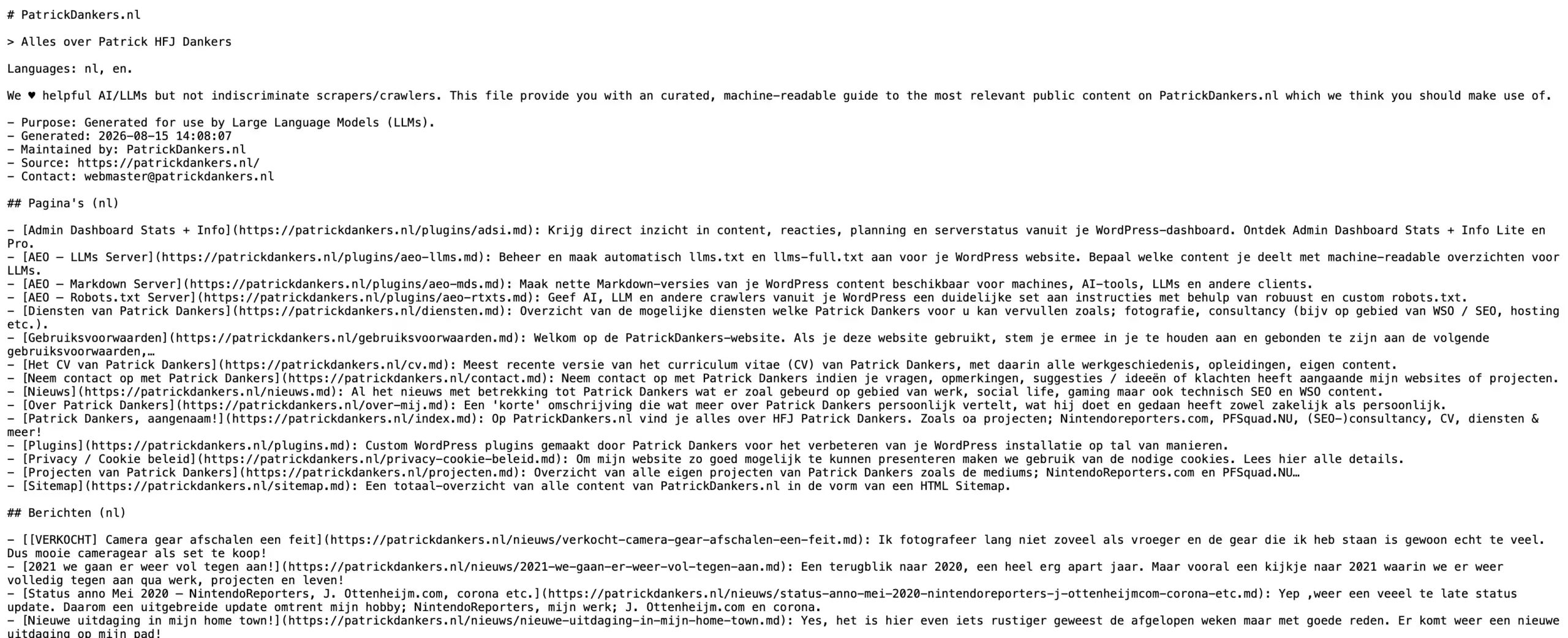
Rather than requiring a system to determine the important parts of your website entirely by navigating normal HTML pages, an llms.txt file can bring together selected links and descriptions in a compact, machine-readable structure.
AEO – LLMs Server actually creates two related endpoints.
/llms.txt
The regular /llms.txt provides a concise overview of selected content, including links and short descriptions.
Where suitable information is available, AEO – LLMs Server can use descriptions from Rank Math or Yoast SEO, with the normal WordPress excerpt available as a fallback.
/llms-full.txt
The /llms-full.txt endpoint provides more context by including longer excerpts of the selected content.
This gives you both a compact overview and a more detailed representation without having to maintain either one manually.
Learn more about AEO – LLMs Server.
WordPress remains the source of truth
- One of the main ideas behind AEO – LLMs Server is that you should not have to maintain your information twice.
- You already create your pages, posts and other content inside WordPress.
- Their titles already exist.
- Their URLs already exist.
- Their publication status already exists.
- Descriptions and excerpts may already exist.
- It therefore makes little sense to create a completely separate static file containing much of the same information and then manually keep the two synchronized.
- AEO – LLMs Server generates the output dynamically from WordPress instead.
- Publish something new, update an existing page or change the configuration, and the plugin can use that information the next time the generated files are refreshed.
You decide what should be included
An llms.txt file does not necessarily need to contain every URL on your website.
In many cases, being selective can be considerably more useful.
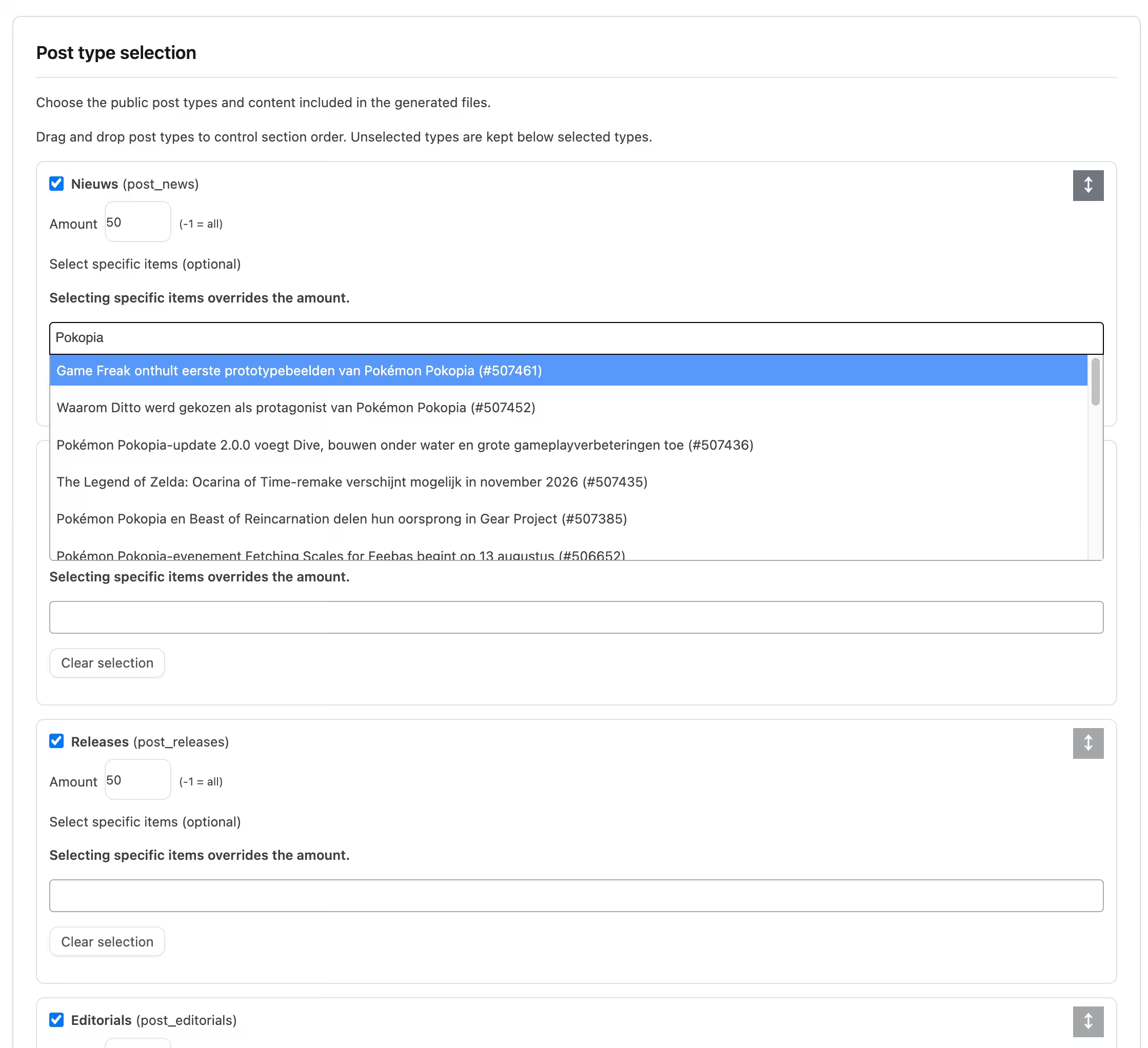
AEO – LLMs Server therefore allows you to determine how much content should be included for the available content types. You can, for example, include a certain number of recent posts while including all of your important pages.
You can also select specific publications manually.
That makes it possible to focus the output on content such as:
- cornerstone articles;
- important service or information pages;
- evergreen resources;
- key landing pages;
- important product information;
- other content that best represents your website.
If you manually select particular items, those selections can take priority over the general item limit.
It also respects existing SEO decisions
Adding another machine-readable representation of your website should not mean ignoring decisions you have already made elsewhere.
AEO – LLMs Server therefore works with supported noindex settings from both Yoast SEO and Rank Math.
If content has deliberately been configured as non-indexable using supported settings, the plugin can exclude it from the generated files as well.
That helps the generated output remain consistent with the broader way you have configured your WordPress website.
Multilingual websites are supported too
For websites using WPML, AEO – LLMs Server can take the active website languages into account and organize the generated content accordingly.
That matters because a multilingual WordPress website is not simply one collection of interchangeable URLs.
Its English, Dutch, German or other language content represents different versions of the site’s information.
By recognizing that structure, the generated output can better reflect the multilingual website that actually exists.
You do not need to regenerate everything constantly
Generating output dynamically is convenient, but larger websites may not want WordPress to repeatedly retrieve and process the same information for every request.
AEO – LLMs Server therefore includes caching controls.
You can choose between:
- immediate generation;
- daily caching;
- weekly caching.

A frequently changing publication website might prefer fresher output, while a more static company website might only need the generated information refreshed once a day or once a week.
The choice remains with the website administrator.
Start with AEO – LLMs Server Lite for free
I want the Lite version of my plugins to be genuinely useful rather than simply functioning as demonstrations of the paid versions.
AEO – LLMs Server Lite is therefore available as the free starting point.
Lite already includes the core functionality needed by many conventional WordPress websites.
You can generate both /llms.txt and /llms-full.txt, include normal WordPress Posts and Pages, select specific content, generate short descriptions, work with WPML, respect supported Yoast SEO and Rank Math noindex settings, configure caching and optionally include contact information.
For a website that mainly consists of Posts and Pages, that may already provide everything you need.
There is no need to start with Pro simply to find out whether the concept makes sense for your website.
Try Lite first, configure it and inspect the resulting files yourself.
When does Pro become useful?
AEO – LLMs Server Pro builds on exactly the same foundation but is intended for websites that need more control.
The biggest difference is support for public custom post types.
Modern WordPress installations often contain much more than Posts and Pages. Depending on the website, important information may live in:
- WooCommerce products;
- events;
- reviews;
- portfolios;
- courses;
- vacancies;
- accommodation;
- custom knowledge-base articles;
- or practically any other public custom post type.
Pro allows those content types to become part of your machine-readable overview as well.
For WooCommerce websites, Pro can additionally use selected product categories when deciding which products should be represented.
That gives larger stores a more practical way to focus on relevant sections rather than automatically exposing every product in the same way.
More control over how your llms files are structured
Pro is not only about including additional content types. It also gives you more editorial control over the resulting files.
You can rearrange content sections through drag-and-drop, for example placing important Pages before Posts or putting Products higher in the output.
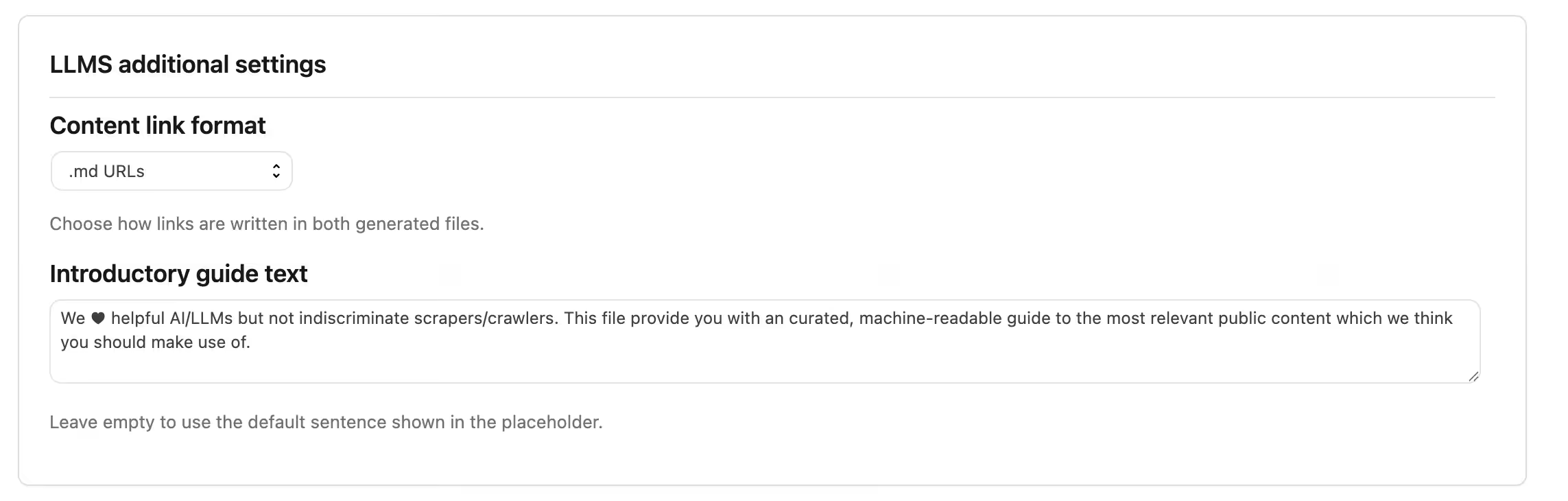
You can also customize the introductory text instead of relying only on the automatically generated introduction.
Another useful Pro feature is the ability to choose how links are represented:
- normal WordPress URLs;
.mdURLs;- URLs using
?markdown=1.
There is an important distinction here.
AEO – LLMs Server can link to Markdown-style URLs, but its job is not to convert each individual WordPress page into Markdown.
For that, there is another plugin.
A natural companion: AEO – Markdown Server
AEO – Markdown Server complements AEO – LLMs Server by taking the next step.
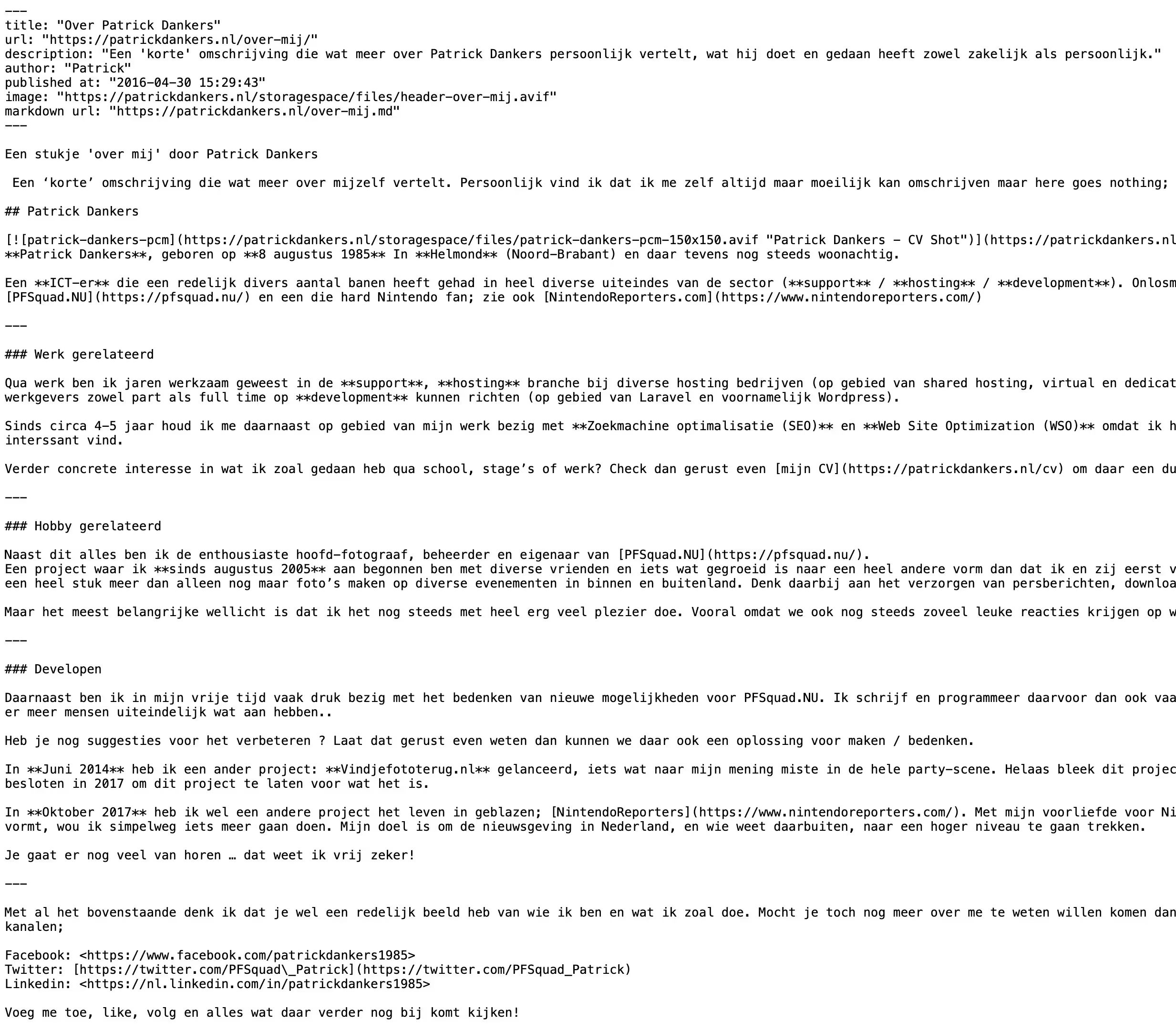
Where AEO – LLMs Server provides an overview of important content, AEO – Markdown Server can make individual WordPress publications available as clean Markdown.
Your normal website continues to serve HTML to regular visitors, while supported clients can request a simplified Markdown representation of the same content.Lite supports standard WordPress Posts and Pages and can provide Markdown through mechanisms such as the Accept: text/markdown header or an optional ?markdown=1 parameter.
Pro extends that with features including public custom post types, dedicated .md URLs, additional metadata and more control over the generated output.
This also explains why AEO – LLMs Server Pro supports .md and ?markdown=1 link formats.
The two plugins can work together naturally:
AEO – LLMs Server helps systems discover important content, while AEO – Markdown Server can provide a cleaner representation of that individual content.
More information about AEO – Markdown Server is available at: https://patrickdankers.nl/en/plugins/aeo-mds/
What about the crawlers accessing your website?
Making content easier to discover is only one side of the equation.
Website owners increasingly also need to decide which automated systems they actually want crawling their websites in the first place.
That is where AEO – Robots.txt Server fits into the same broader approach.
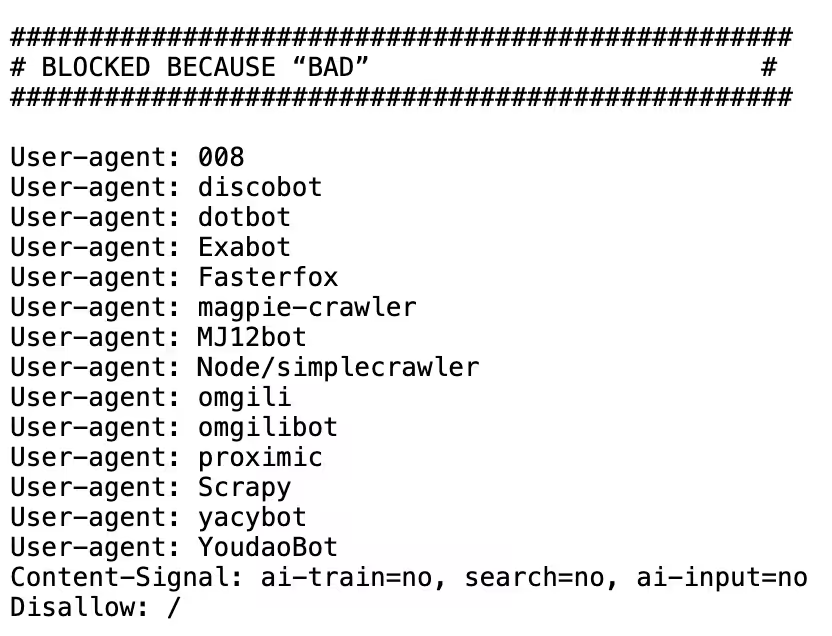
The plugin allows you to manage your WordPress site’s virtual robots.txt directly from the WordPress administration area. Instead of manually remembering crawler user-agent names and maintaining a growing collection of rules in a physical text file, you can manage supported AI, LLM and other crawlers through a clearer interface.
For individual crawlers, you can choose whether to explicitly allow them, disallow them or leave them as N/A.
The free Lite version already includes the core AI and LLM crawler controls, while Pro expands this into much broader robots.txt management, including custom Allow and Disallow rules, WordPress-specific crawler rules, crawl-budget controls, sitemap options and additional configuration.
More information about AEO – Robots.txt Server is available at: https://patrickdankers.nl/en/plugins/aeo-rtxts/
Three different problems, rather than one enormous plugin
There is a deliberate reason these are separate plugins.
They solve related, but distinctly different problems.
- AEO – LLMs Server deals with discovery: which important content should appear in
/llms.txtand/llms-full.txt? - AEO – Markdown Server deals with representation: can individual WordPress pages also be supplied in a clean Markdown format?
- AEO – Robots.txt Server deals with crawler instructions: which automated systems do you want to allow or discourage from accessing particular areas of the website?
Keeping these responsibilities separate means you can use whichever components make sense for your own WordPress installation.
You do not need Markdown simply because you want an llms.txt.
You do not need to change your complete robots.txt setup simply because you want to experiment with machine-readable content discovery.
And you do not need Pro versions of everything simply to get started.
AEO is still evolving
AI-oriented website discovery is a developing area.
Standards, crawler behavior, AI search products and the ways machines consume online information continue to change.
For that reason, I think the sensible approach is not to promise that adding one particular file will suddenly make a website appear everywhere in AI-generated answers.
It will not.
An llms.txt file does not replace good content, conventional SEO, structured data, internal links, XML sitemaps or a technically sound website. Nor can it guarantee that an AI provider will crawl, use or cite your content.
What it can do is give you another structured way to describe and expose the public information you consider important.AEO – LLMs Server is intended to make doing that in WordPress considerably easier.
But so am I
And the three plugins mentioned here are not the end of the story.
I am continuing to explore practical WordPress tools around AI, LLMs, machine-readable content, crawler management and the broader area commonly being described as Answer Engine Optimization (AEO).
So there is more to come for sure.
Try AEO – LLMs Server
If you are curious about llms.txt, there is little reason to start by manually building and maintaining the files yourself.
AEO – LLMs Server Lite gives you an easy way to experiment with the format using the Posts and Pages that are already on your WordPress website.
You can see exactly what the plugin generates, decide which content should be included and determine whether it has a place in your setup. If Lite already does everything you require, you can simply continue using it.
If your site depends on custom post types, WooCommerce products or you want greater control over ordering, introductions and Markdown-oriented link formats, you can move to Pro.
The principle remains the same in either case:
Keep WordPress as your source of truth, and let the plugin take care of turning your selected content into a structured /llms.txt and /llms-full.txt.
Learn even more about AEO – LLMs Server: https://patrickdankers.nl/en/plugins/aeo-llms/